

Shkodër Student Card
One card for students, partner businesses and the city — on the web and in a mobile app. We built version 1 from scratch in spring 2026. In October 2026 we shipped version 2: the same platform, faster, cleaner and watched by its own automations.
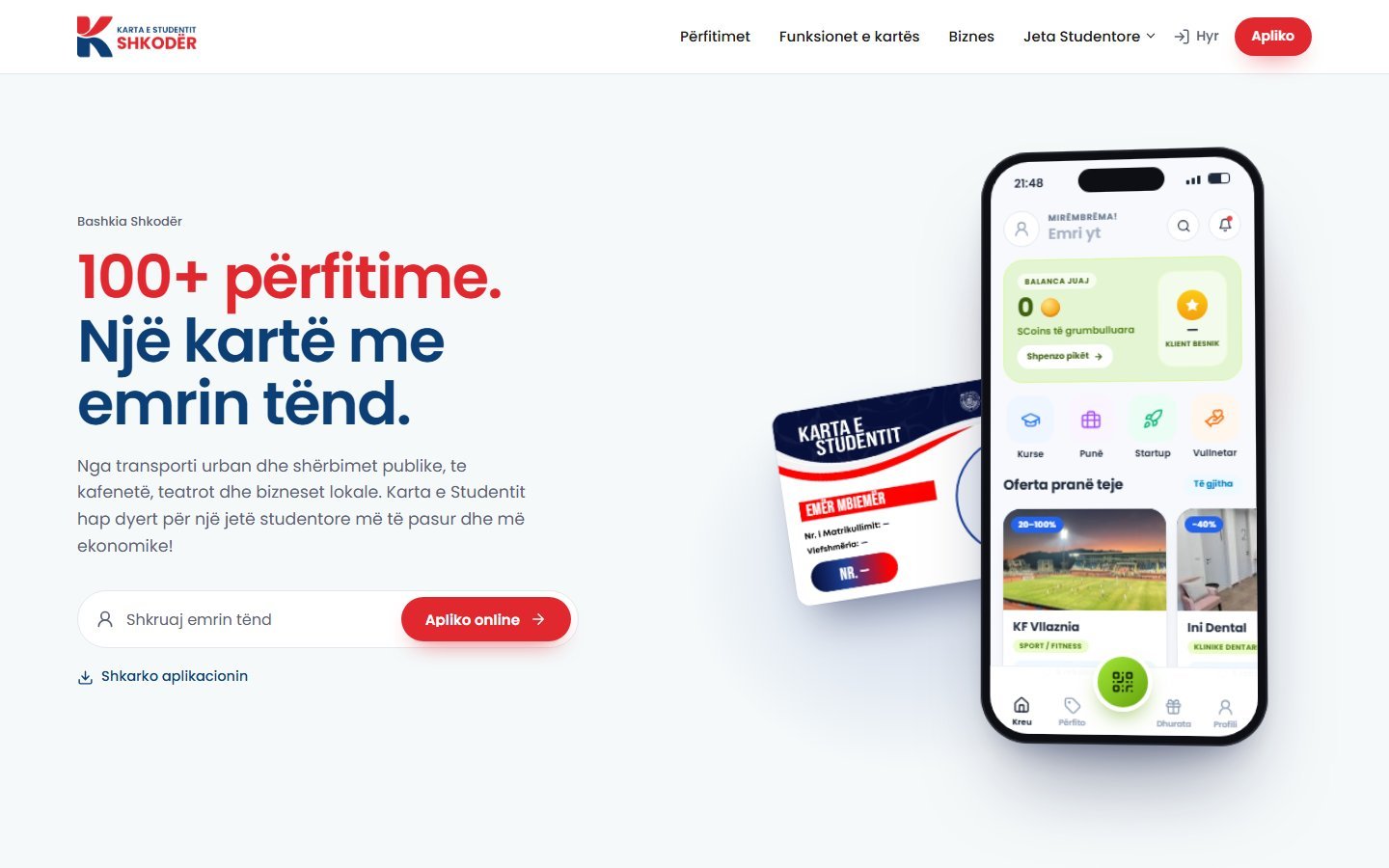
- 700+students using the cardOctober 2026
- 100+benefits across the citymore being added
- iPhoneapp live on the App StoreAndroid release next
- 2:41minutes of maintenance at the switch-overlive site, 8 Oct 2026
The card lives in the student’s phone.
Screens from the published app (App Store, demo account): sign-in, home, benefits, rewards and the digital card with its QR code.
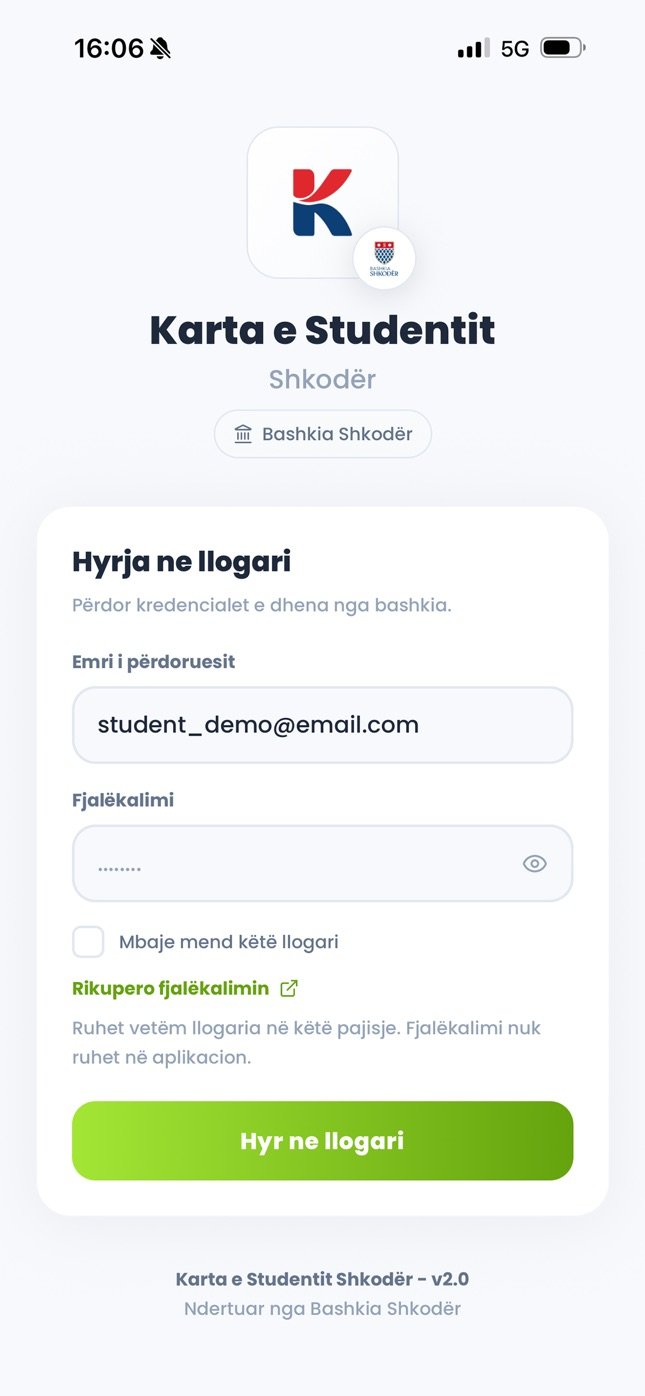 Sign inAccounts issued by the card office
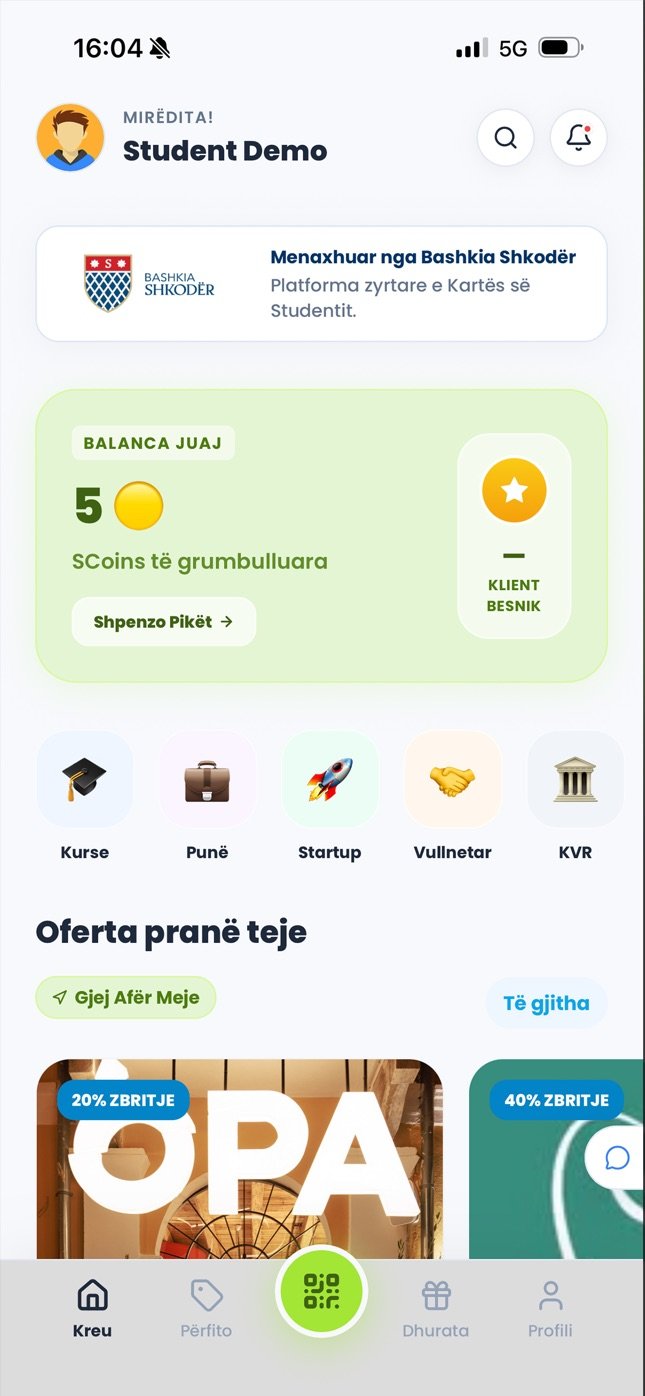 HomePoints, programmes and offers nearby
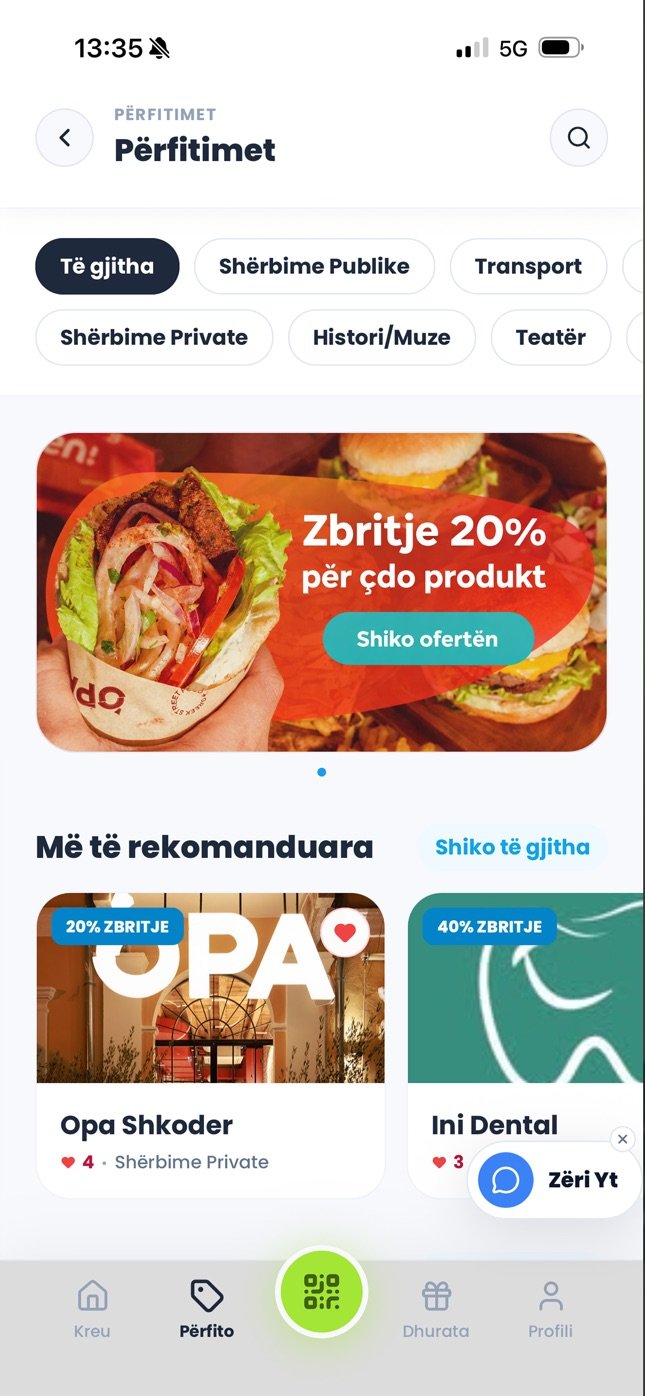 BenefitsDiscounts by category
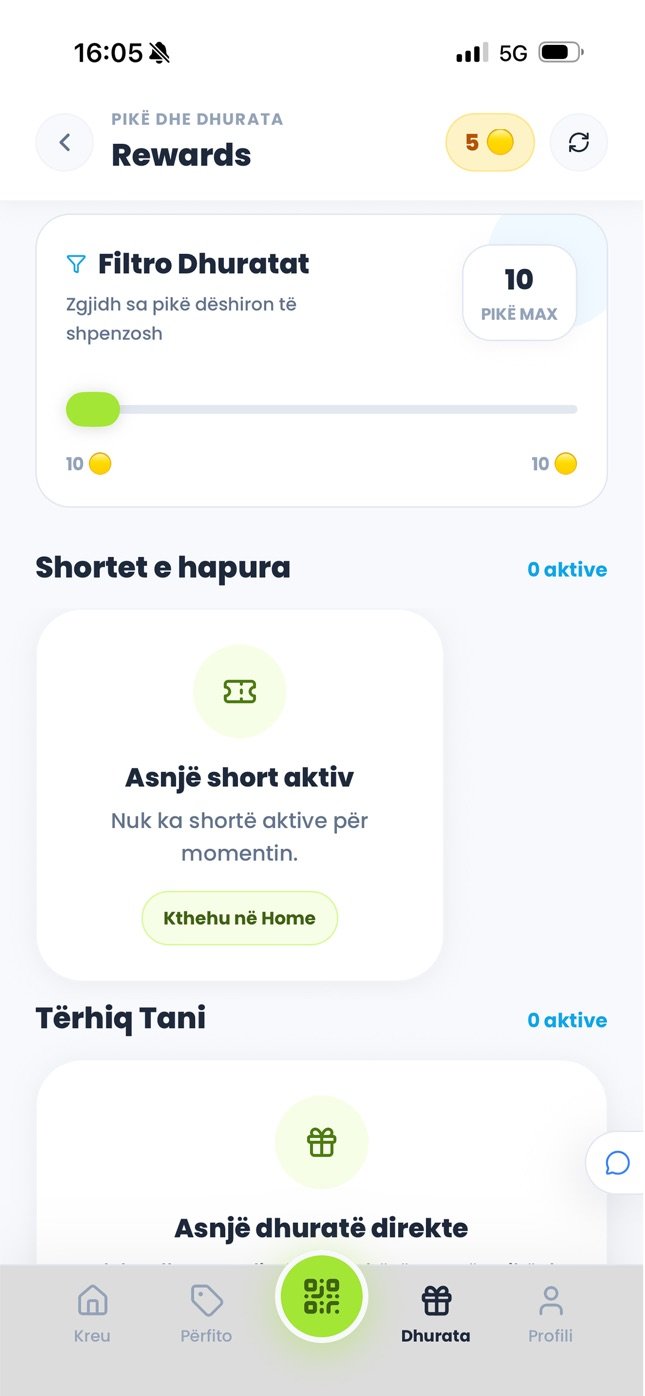 RewardsSpend points on rewards
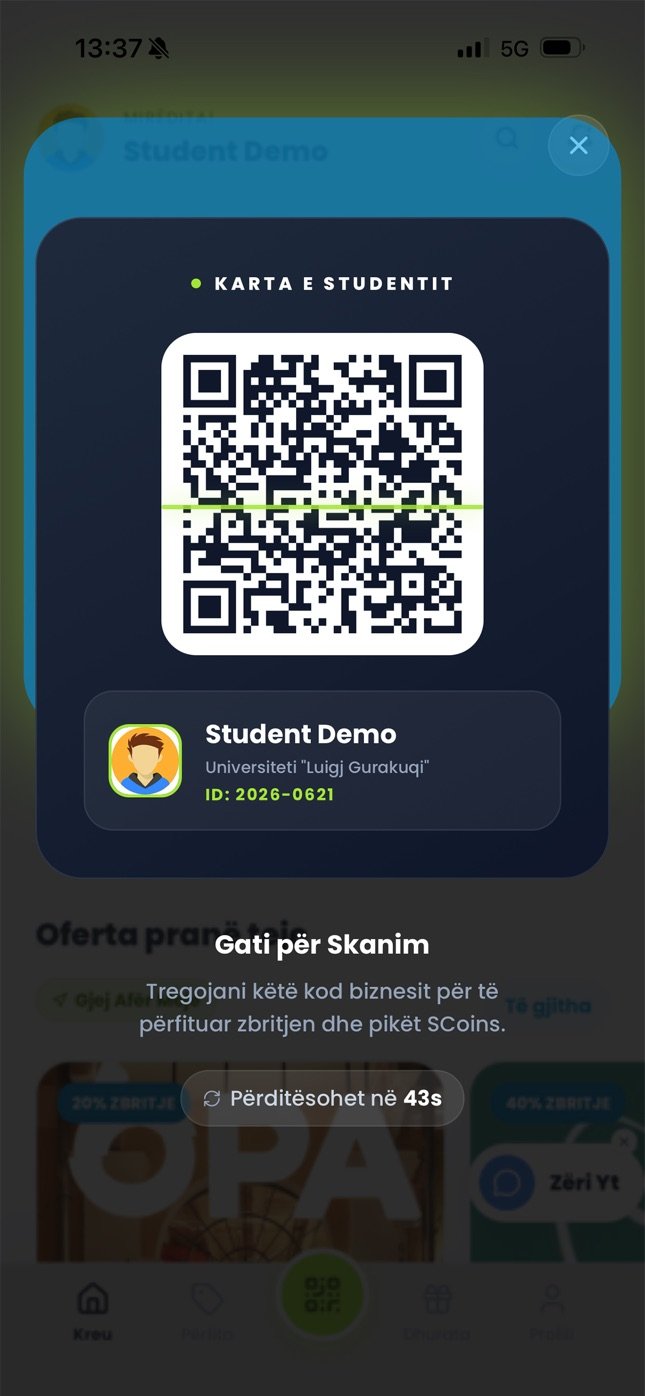 Digital cardQR code ready to scan
One programme, three kinds of users.
The Shkodër Student Card links students, partner businesses and the municipality in one system. Students apply online and use discounts and programmes; the card office checks, approves and renews cards; partner businesses check a card by scanning its QR code.
Version 1 put the programme online fast: a website on a page builder, a backend and a mobile app — live on the App Store in May 2026. We don’t build a system and walk away, so in October 2026 we shipped version 2: a clean custom base, all data kept, every step tested before going live.
Why a version 2
Keep what students and businesses already use. Make it faster, more accurate and cleaner — and let the platform report its own health.
What changed in version 2.
Same programme, same data — rebuilt underneath. Figures from the project’s test and launch records.
Everything in one platform.
Real screens, filled with made-up students and businesses on a private demo copy. Pick who uses it, then a screen.
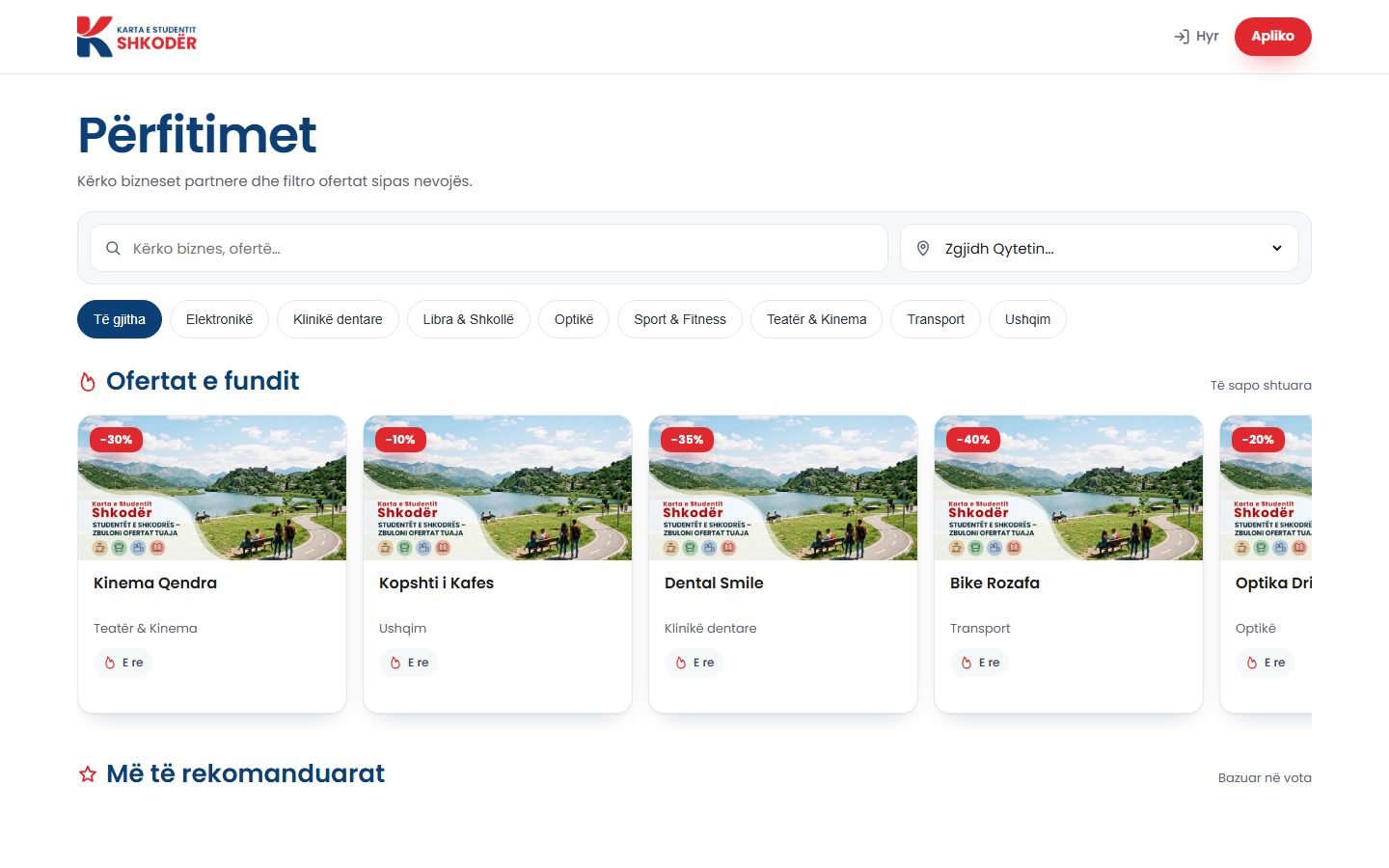
From application to discount, step by step.
- 1Apply
A student fills in the online form with a photo and consent. The card is created as “pending”.
- 2Approve
The card office checks the details against the student register and approves the card. The student gets an email.
- 3Carry
The student signs in to the app and sees the card with its QR code.
- 4Scan
At a partner business, staff scan the QR code. One validity rule is used on the web, in the API and in the scanner.
- 5Reward
A valid visit adds points. A short wait between scans at the same business keeps it fair.
- 6Verify anywhere
Scanning the card’s QR code opens a page that shows whether the card is valid today.
- 7Expire
A daily job marks expired cards and emails the student.
One platform at the centre.
Who uses it
- Student app
- Business app and panel
- Website visitors
- Card office and admins
- Partner systems
The platform
Around it
- Push notifications
- Monitoring and alerts
- Daily encrypted backup
- Separate staging copy
The app talks to the platform over HTTPS with a token; partner systems use their own key; any phone can open a card’s verification page from its QR link.
The platform reports on itself.
Every system we build now ships with this layer: scheduled jobs that keep it healthy, and alerts that reach a person before users notice.
- Every few minutesExternal uptime checks on the website, the app API and the health page.
- Every hourA health check of the platform; after launch, hourly checks for the first 72 hours.
- Every nightAn encrypted backup of the database and uploads, checked after it is made.
- Every dayExpired cards are marked and the student gets an email.
- Every monthA scheduled restore test from the latest backup.
- On every eventErrors, slow requests, failed jobs, failed sign-ins and unknown code are logged.
How an alert travels
- Something goes wrong — an error, a slow page, a failed job or a file that shouldn’t be there.
- The monitoring module records it and decides how serious it is.
- An alert goes out at once, with a reminder every hour until it is resolved.
- When it is fixed, a “resolved” message closes the loop.
On this platform alerts go by email and Telegram today.
Launch night
8 October 2026 · Tirana time
- Final sign-off for the switch-over.
- Maintenance mode on. Data frozen, counts and checksums recorded.
- Version 2 live — 2 minutes 41 seconds of maintenance.
- 86 read-only checks on the live site passed; data matched before and after.
- Hourly automated checks, with the old site kept ready for a rollback.
A real incident, the day after
9 October 2026 · Tirana time
- An unknown file appears among the live site’s code.
- The monitor flags it as unknown code and sends an alert.
- The file is checked; only that exact version is allowed, by its checksum.
- Alert resolved. The site stayed up the whole time.
Rebuilt in small, proven steps.
We started with a read-only audit of an isolated local copy, rebuilt the platform in short numbered steps on a separate branch, and tested every stage before it went live.
- Protections in the current version
- Card photos served through signed links that expire
- One permission map instead of dozens of hard-coded role checks
- Rate limits on sign-in, applications and card checks
- IP addresses kept only as one-way hashes in the audit log
- QR codes generated on the platform’s own server
- Partner keys stored only as hashes and shown once
- The published app keeps working
An automated contract test checks that 50 API routes still return the shape app version 1.0.0 expects. On the staging copy on 7 October 2026, all 50 matched.
Students can also request account deletion from a public page, as the app stores require.
- Tested on a separate staging copy
Before launch the new platform ran on a separate staging copy with outgoing email and push notifications blocked. Role-based tests with test accounts passed there on 7–8 October 2026.
- Switch-over with a rollback ready
On the evening of 8 October 2026 the new platform replaced the old one. The live site was in maintenance for 2 minutes 41 seconds. Record counts and checksums of the protected data matched before and after, the old site was kept ready for a rollback, and 86 read-only checks on the live site passed.
- Backups and restore
Every day the database and uploads are backed up as an encrypted copy, and each copy is checked. A restore test was run on the night of the switch-over, and regular restore tests are scheduled.
- Monitoring
A monitoring module tracks errors, slow requests, scheduled jobs and failed sign-ins, with alerts by email and chat and external uptime checks every few minutes.
See the incident timeline above: flagged within about two minutes, resolved without downtime.
Reach the city’s students — with data you can trust.
Partner businesses join one network run by the Municipality of Shkodër. Students find your offer in the app, show their card, and every visit is counted — while their personal data stays with the municipality, under Albanian data-protection law.
- 700+ students with the card, and 100+ benefits already listed
- Scan the student’s QR code in the app — no extra hardware
- See your visits in a statistics panel and export them
- Request promotions; the municipality approves them before they go out
Live, in use and growing.
The rebuilt platform has been live since 8 October 2026, followed by a 72-hour observation period with hourly automated checks. More than 700 students use the card, with over 100 benefits across the city — and more are being added.
The data was kept; protection, maintenance and monitoring were rebuilt on a smaller base. The app is live on iPhone, and the Android release is next.
Our role
Product design; the website, mobile app and backend, built from the ground up; the 2026 audit and rebuild; the switch-over, monitoring and backups.
Municipality of Shkodër
Owns and runs the card programme, approves applications and works with partner businesses.
Need a system like this?
Tell us the problem in one sentence. We’ll tell you honestly whether — and how — it should be built.